
Have an app idea?

AI builds your app. Deveji Build shows it how.

Left alone, AI decides differently every time and your app gets messy. Deveji Build gives it a solid base and rules to follow.

Tell us your idea. We’ll tell you if Build is a fit.

How it fits together

  1. 01 You describe a feature

    Let people pick a service and book a time.

  2. 02 Build guides your AI

    • A solid base Sign-in, screens and data already working.
    • Rules to follow Every feature built the same way.
    • Checks before release Common problems caught before customers see them.
  3. 03 Your AI builds it

From the team behind Lans, Scratchmap of Poland and Warepair.

Client work spanning payments, maps, offline features and physical access. See the work ›

Why Deveji Build exists

The first version is only the start.

Your app will keep changing. Left on its own, AI builds every change a different way, and the app slowly turns into a mess.

Deveji Build gives it one foundation and one way of working, so version ten is as solid as version one.

Start further along

A working app on day one. Your time goes into what makes your idea different.

One way of working

Every feature is added the same way, so the app stays tidy as it grows.

Keep improving

Ask for changes for years, not weeks. The structure is built for the next version.

Builder and manager

AI is the builder. Deveji Build is its manager.

You already use Claude Code, Cursor or Codex. Build doesn’t replace them. It sits on top, as the project manager and tech lead your AI never had.

It hands the AI a finished foundation, tells it how this app is built, and checks the work before anything ships.

Hands over the foundation

Sign-in, navigation, data, notifications: already built. The AI extends instead of reinventing.

Sets the rules

How this app is structured and how a feature is added. The AI follows them on every change.

Checks the work

Before a feature counts as done, the AI walks through a fixed review and fixes what it finds.

Works with Claude Code, Cursor or Codex, and with whatever model comes next. The manager stays the same.

What you get

Everything AI doesn’t bring on its own.

AI writes code fast. What it lacks is a foundation to start from, rules to work by and a way to check itself. Build supplies all three.

A production-ready foundation

Not a demo project. An app with the critical, boring parts already done and wired up, so day one starts where most projects arrive after months.

Already working

  • Sign in with Google, Apple or a phone code
  • Navigation and push notifications
  • Firebase and Firestore connected
  • Analytics and crash reporting
  • Three environments: dev, staging, production

Instructions your AI follows

The project’s rules, written for the AI coding tool. The AI reads them before it touches anything, so it builds like a senior engineer would, not like a fresh session.

Covers

  • Clean architecture with SOLID, state in Cubits
  • How a request becomes a planned feature
  • How to change code that already works
  • What to check before calling it done

A 47-point release review

When you say a feature is done, the AI isn’t. It runs a fixed review of configuration, data, edge cases and the journeys customers actually take, and fixes what it finds before anything reaches production.

How you work with Build

Generate. Add. Test. Ship.

  1. Generate your app

    Pick what your app needs: sign-in, payments, notifications and more. Build generates a working app with those parts in place.

  2. Add features with your AI

    Describe what customers should be able to do. Your AI coding tool builds it into the app, following Build’s rules.

    Example request“Let people save their favourite places.”

  3. Try it and ask for changes

    Test it on your phone. Say what feels wrong, and review the next version.

    Example request“Make saved places easier to find from the home screen.”

  4. Say it’s done. Build takes over.

    Mark the feature finished and the AI runs Build’s release review on its own: checks, fixes, and only then a push towards production.

Some features and launch decisions need specialist input. We’ll discuss the likely requirements of your idea before you join.

The experience behind Build

We build apps for clients. Build brings that experience into your project.

Our client work has involved payments, location, offline use, AI features and connections to physical hardware. Build draws on the patterns and lessons developed through that work.

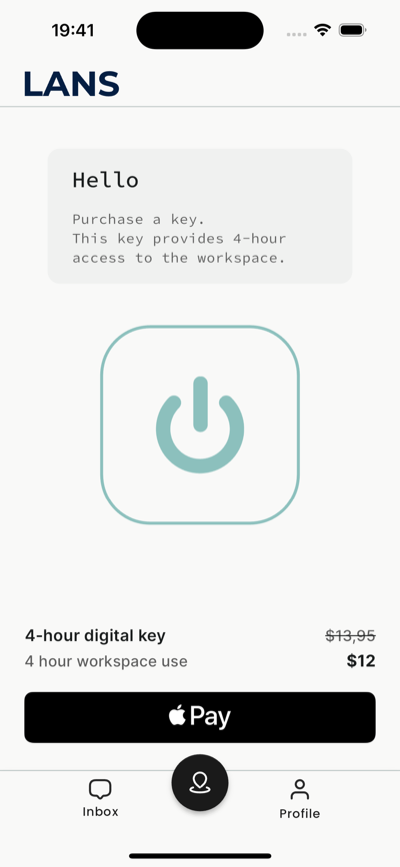
A four-hour key to the workspace, bought in one tap.
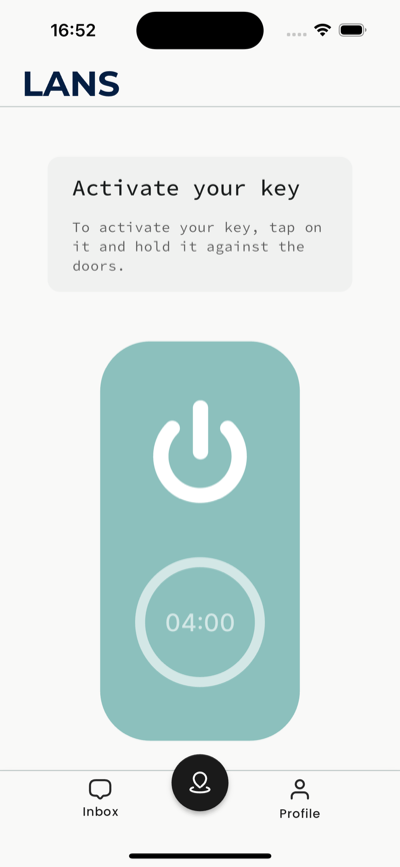
Hold the phone against the door, and the key activates.
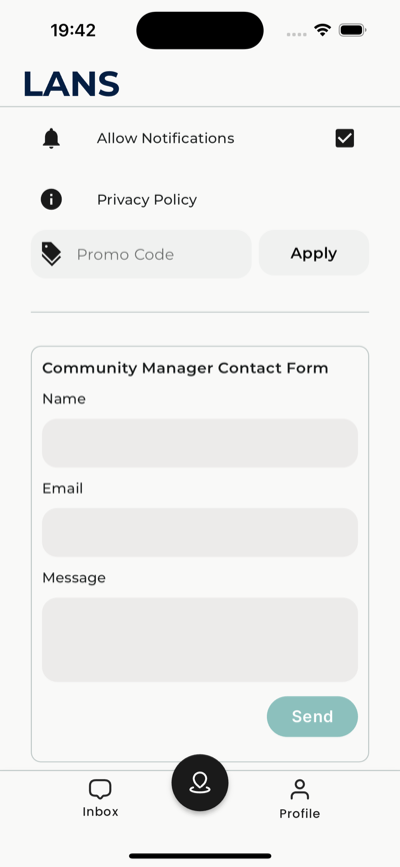
Notification settings and a line to the community manager.

Payments and physical access

Lans

Customers purchase access on their phone and use the app to enter a coworking space in San Francisco.

The project connects the digital purchase experience with access to a physical location.

  • Payments
  • Bluetooth and NFC
  • Mobile access
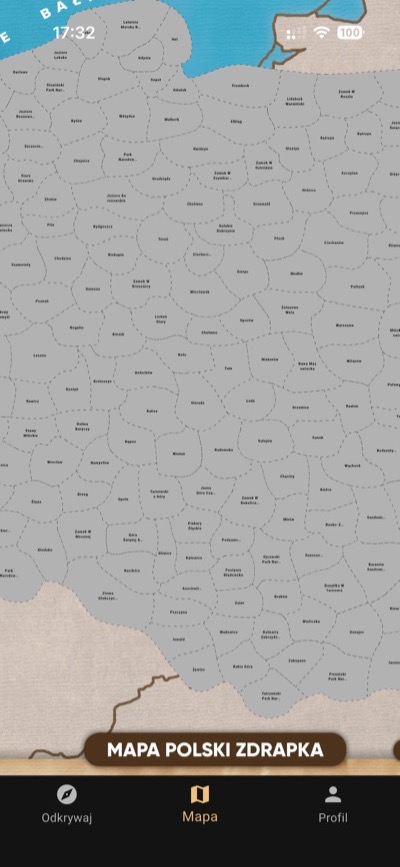
The map of Poland, half of it scratched off.
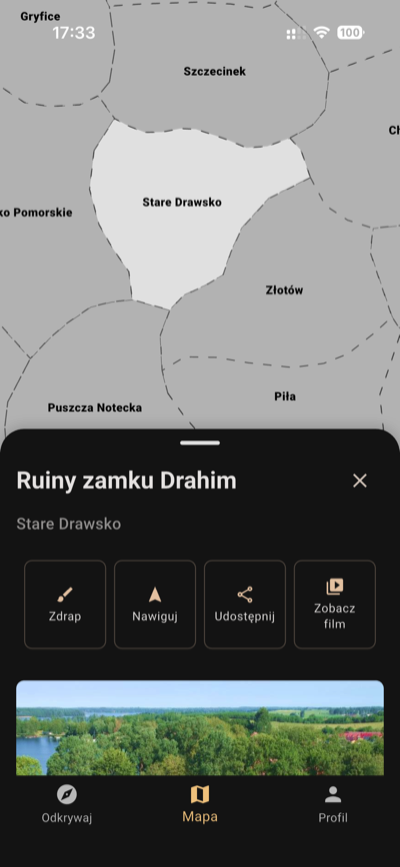
A scratched place, with what there is to see in it.
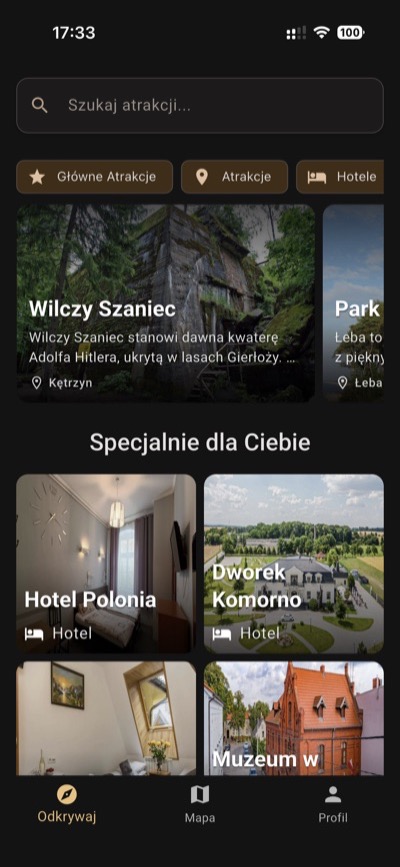
Attractions to visit, sorted by what is near you.

A consumer mobile app

Scratchmap of Poland

Available as Mapa Polski Zdrapka

A mobile version of the physical scratch map, created for Telewizja Młodych. People track the places they visit and discover what to explore next.

The project includes location features, offline functionality and an AI voice experience.

  • Location
  • Offline use
  • AI voice features
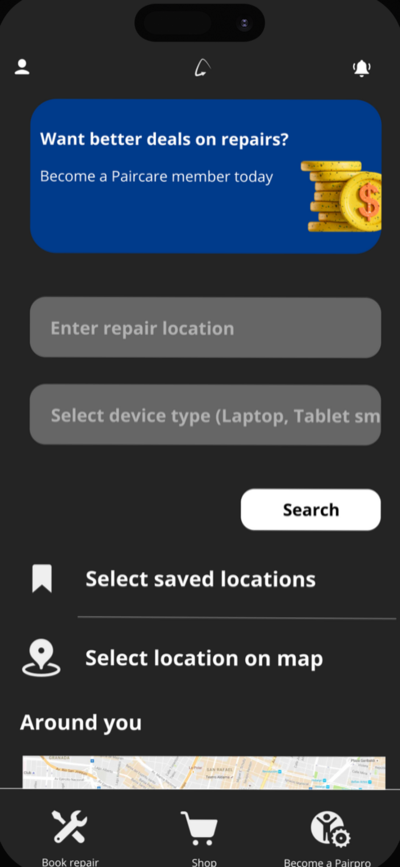
Say where you are and what needs repairing.
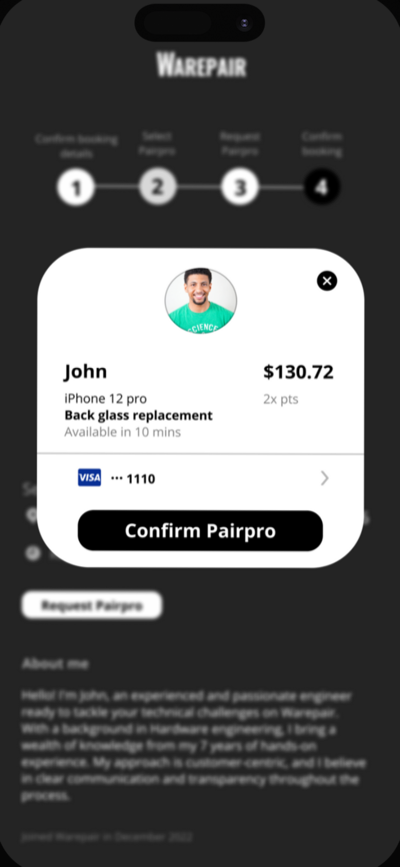
A technician, a price, and a card to confirm it with.
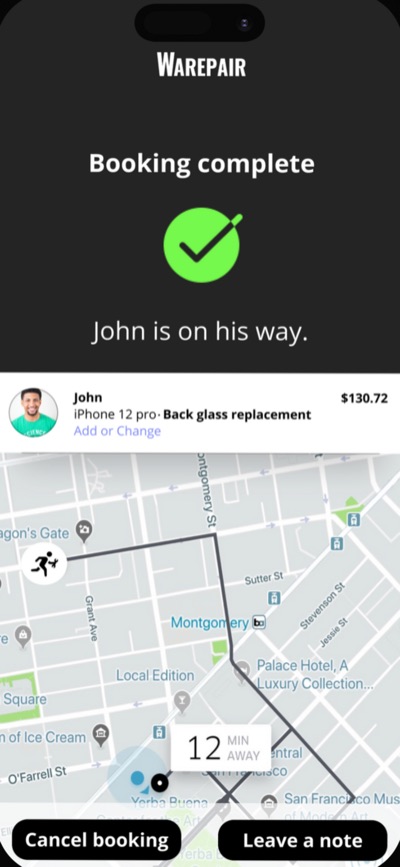
The technician on his way, moving on a live map.

An on-demand service app

Warepair

A repair-booking experience with technician tracking, payments and AI-assisted pricing.

The product was built and tested but did not launch publicly.

  • Live tracking
  • Payments
  • AI-assisted pricing

Built and tested · Not publicly released

What our clients say about working with Deveji

“Deveji handled every aspect of the project with care, delivering an outstanding product on time. We're thrilled with the outcome and will be working with them in the next stages.”
Tahsin AktasCEO, Lans
“Partnering with Deveji has been a game-changer for Warepair. Their technical expertise and creative input throughout the development process made Warepair what it is today.”
Victor AmaechiFounder & CEO, Warepair

Who’s behind it

Built by the people who build the apps.

Deveji is the team behind the client projects shown here. Build brings together the starting point, project instructions and checks developed through that work.

You can explore the apps and learn who you’re applying to work with.

Franciszek Mysłek

Co-founder

Code generation, architecture, the development process and engineering standards.

LinkedIn ›

Gabriel Kurowski

Co-founder

Data modelling, AI, payments, complex features, Firebase and the backend.

LinkedIn ›

Early Access

Tell us what you want to build.

Deveji Build is the system behind our own client projects. Early Access opens it to a selected group of founders.

Tell us what you’re building. We’ll confirm Build is the right fit for your project and send you the access details and next steps.

Applying is free and does not commit you to buying.

We keep the group deliberately small, so every founder gets proper onboarding and a direct line to the team, and what we learn from their projects shapes the plans that follow.

Apply for early access

A short form about your idea and where you are with it. A few sentences are enough; you don’t need a technical specification.

Apply for early access

The form is hosted by Tally. How we handle your answers is in our Privacy Policy.

Questions

Before you apply

Do I need to know how to code?

No. The whole process is designed so the AI does the building. You need to know what you want to create and roughly how it should feel to use. You describe, the AI builds, Build keeps it in order.

Does it build the app automatically?

You guide the product: what it should do, how it should feel and which changes to accept. Build gives AI a foundation and instructions to work from. You review the results, and more complex work may need specialist help.

How is this different from asking AI to build an app?

On its own, AI is a very capable builder with no manager. It starts from nothing, decides differently every time and calls the job done when the code runs. Build gives it a project manager and a tech lead: a finished foundation to start from, rules for how this app is built, and a review it has to pass before a feature ships. Same AI, a structure around it, and a visible jump in quality.

Can I change the app later?

Yes. Build is designed to support ongoing development. You can continue requesting features and improvements as you learn from customers. Changes still need to be reviewed and tested.

What kinds of apps is it suitable for?

Mobile apps for iOS and Android, built from one project. Tell us what your customers need to do, and we’ll tell you whether Build is a good fit.

What tools will I need?

A computer, the mobile development tools and an AI coding tool such as Claude Code, Cursor or Codex. Apple only allows iOS apps to be built on a Mac, so Build works best on macOS; Android apps can be built on macOS, Windows or Linux. The Build Kickoff videos walk you through the setup.

Are there costs besides Deveji Build?

Depending on your project, you may also pay for AI tools, hosting, app-store accounts and external services. Your access details will explain what Build includes and which costs are separate.

Can I use an app I have already started?

Build works best when your app starts from its foundation. If you already have a project, you can book a session with one of our engineers to review it and plan the move. Sessions are paid separately.

What help is included?

The Build Kickoff: 3 setup videos take you from installation to your first feature, and every month there’s a live Q&A where you can bring your questions to the team. If you want hands-on help with a hard feature or a review of your project, you can book a session with one of our engineers. Sessions are paid separately.

Who owns the app?

You do. Deveji doesn’t own the apps built with Deveji Build; what your plan decides is how you may use Build’s foundation. The Personal plan covers your own apps and personal projects. Client work, agency use and transferring an app to someone else need a higher plan.

Can I use newer AI models as they come out?

Yes, when they are available in a coding tool supported by Deveji Build. You can select them there and continue working on your existing project. Availability and cost depend on that tool and your plan.

Do I need to understand which model to choose?

No. Build works best with the latest Claude or OpenAI model, and the Build Kickoff videos show the recommended setup. You can change it later, when you want different capabilities or a different budget.

Will a more powerful model build my app faster?

It can help with complex work and reduce some back-and-forth. Results depend on the task and the model, and changes still need to be reviewed and tested.

How much does it cost?

Early Access starts with the Personal plan at $299, a one-time payment, with a 14-day money-back guarantee. Higher plans for client and agency work will follow. Applying is free and does not create a purchase.

Already experimenting with AI?

Explore the free project instructions and release checklist from our workflow.

Explore the free setup
Deveji

Deveji builds mobile apps and the systems behind them.